
Our Senior Resource Guide Launch Is Here
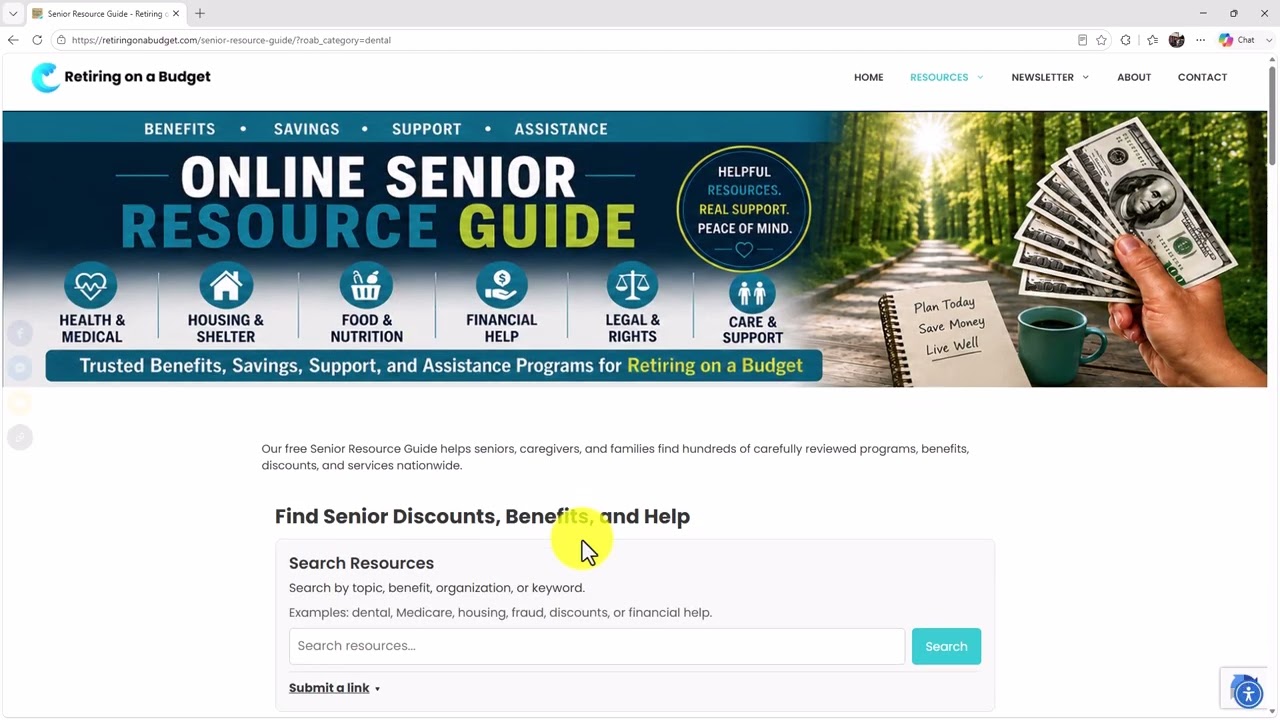
Our Senior Resource Guide launch is here! Seniors, caregivers, and families can now search nearly 400 carefully reviewed benefits, discounts, programs, and services in our new online directory.
When we recently celebrated the first anniversary of Retiring on a Budget and our sister group, Retiring on a Shoestring Budget, I wanted to do something special to give back.
That led me to create our free 80-page Senior Resource Guide. It’s filled with helpful resources for seniors who may be struggling or simply want to learn about programs available to them.
I hoped people would find it useful, but I had no idea how well it would be received. Thousands of copies were downloaded.
We also sent out a survey and asked readers to share their comments and suggestions. We’re now using that feedback to create Version 2. We’ll let you know how you can receive the updated guide for free when it’s ready.
Why We Created the Online Directory
The printed guide was only the beginning. We wanted to make the information even easier to search and update.
That’s why this Senior Resource Guide launch includes a new online directory. Instead of searching through several websites, you can look for many different kinds of help in one convenient place.
The directory already includes nearly 400 resources, and we’ll continue adding more.
You can search for help with:
- Dental care
- Medicare
- Mental health
- Food assistance
- Housing
- Transportation
- Veterans benefits
- Fraud protection
- Senior discounts
- Caregiving
- Financial assistance
- And much more
How to Search the Senior Resource Guide
The directory was designed to be simple and senior-friendly.
Visit RetiringOnABudget.com. Select Resources from the menu, and then choose Senior Resource Guide.
You can type a word or phrase into the search box. For example, you can search for “dental,” “Medicare,” or “mental health.” The directory will then show resources related to your search.
You can also browse by category. Select a category, and you’ll see all the resources listed under that topic.
Our website also includes an accessibility tool. If you need help seeing, hearing, reading, or using certain parts of the website, click the accessibility icon to view the available options.
Help Us Add More Resources
An important part of our Senior Resource Guide launch is giving members the ability to suggest helpful resources.
Select Submit a Link and provide:
- Your first and last name
- Your email address in case we have questions
- The appropriate category
- The official name of the resource
- The direct website address for the program
- A phone number, if one is available
- A short description of the help it provides
Your name and email address won’t be published. We’ll only use that information if we need to contact you about your suggestion.
If you aren’t sure which category to select, choose Not Sure, and we’ll figure it out.
Please submit the direct link to the specific resource whenever possible. For example, if an organization offers several programs, send us the link to the exact program page instead of its main home page.
Every submitted resource will be reviewed before it’s published. We’ll check the information to help make sure it’s accurate, useful, and safe for our visitors.
Seniors Helping Seniors
Our Senior Resource Guide launch is part of a much larger goal. We want to make it easier for seniors, caregivers, and families to find trustworthy help without spending hours searching online.
The directory will continue to grow with help from our members and community.
We believe seniors helping seniors can make a real difference. By sharing useful resources, we can help more people find programs, benefits, discounts, and services they may not have known were available.
The online directory is live now, and it’s free to use.
Access The Senior Resource Guide